> ## Documentation Index
> Fetch the complete documentation index at: https://docs.metengine.xyz/llms.txt
> Use this file to discover all available pages before exploring further.
# Auto Trade (Copy Trading)
> Copy smart wallets with millisecond precision or get alerts
Found a wallet that prints? Auto Trade copies their LP positions the moment they open. Set it once and let the bot mirror the trades.
## What You'll Unlock
* Millisecond-precision copy trading
* Follow up to 5 alpha wallets simultaneously
* Flexible sizing: fixed amount, portfolio %, or exact copy
* Spy mode for notifications only
## How Auto Trade Works
When a tracked wallet opens an LP position, the bot instantly:
1. Detects the transaction
2. Identifies the pool and strategy
3. Opens the same position in your wallet
4. Notifies you of the copy
No delays. No manual intervention. Pure alpha mirroring.
## Set Up Auto Trade
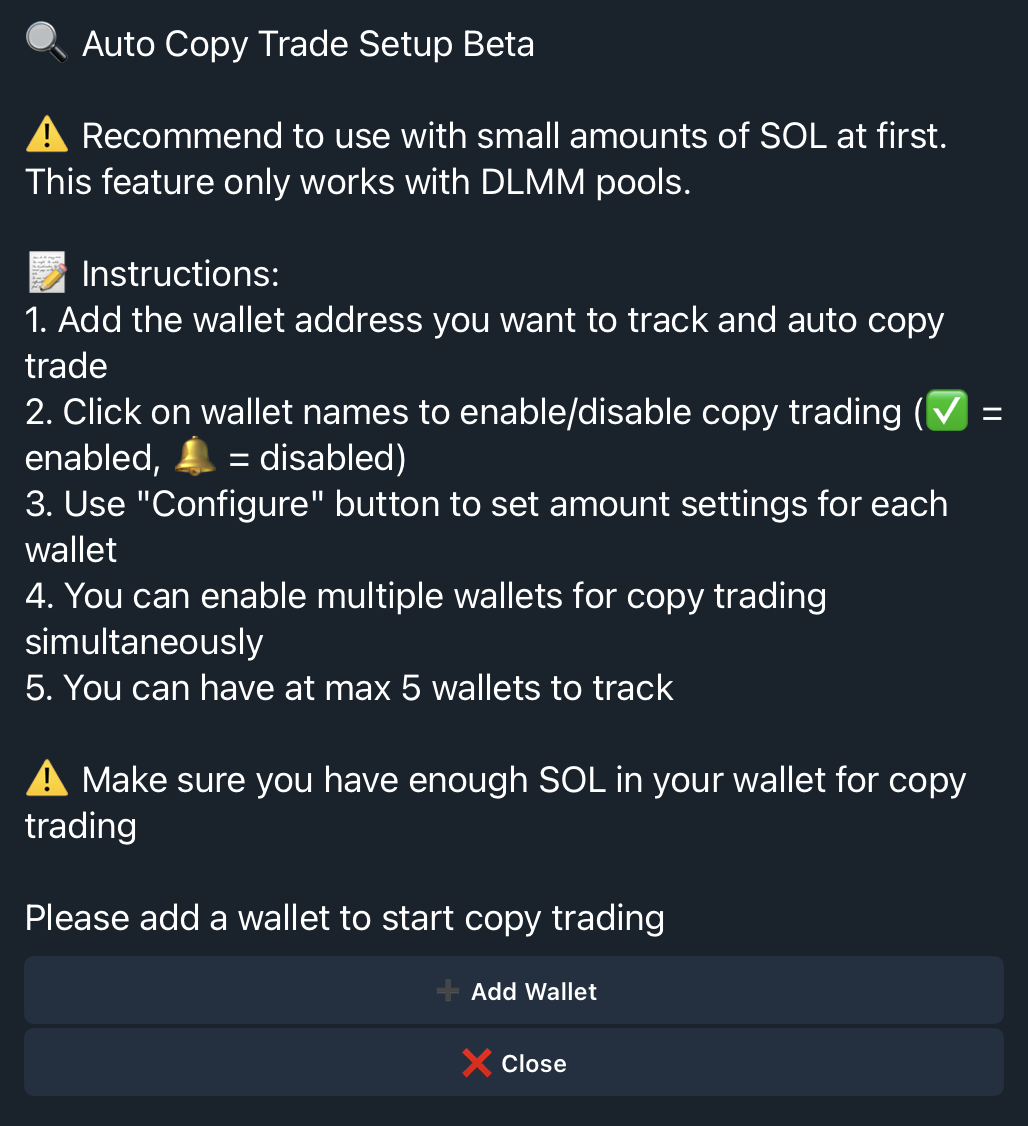
From the main menu, tap **Auto Trade** to access copy trading settings.
 ### Add a Wallet to Track
1. Tap **Add Wallet**
2. Enter the wallet in format: `Name Address`
* Example: `AlphaWhale 7xKXtg2CW87d97TXJSDpbD5jBkheTqA83TZRuJosgAsU`
3. Confirm the addition
### Add a Wallet to Track
1. Tap **Add Wallet**
2. Enter the wallet in format: `Name Address`
* Example: `AlphaWhale 7xKXtg2CW87d97TXJSDpbD5jBkheTqA83TZRuJosgAsU`
3. Confirm the addition
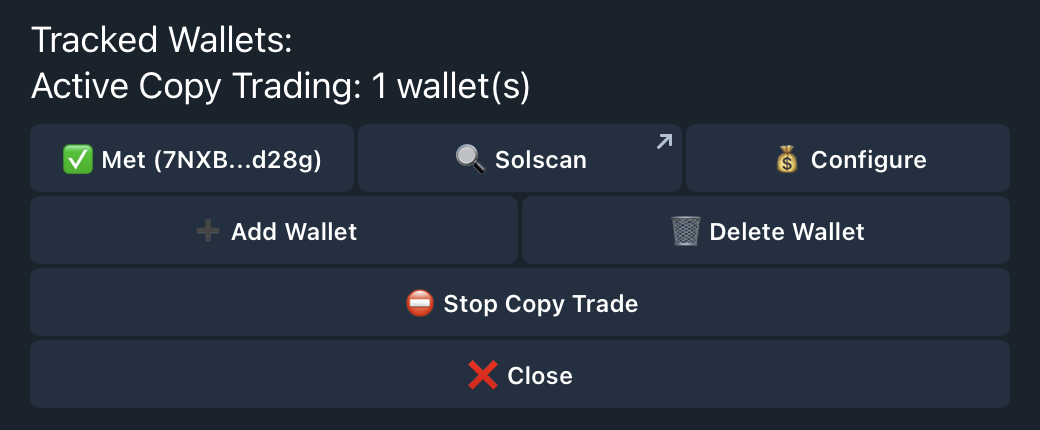
 You can track up to **5 wallets** simultaneously.
 ## Configure Copy Settings
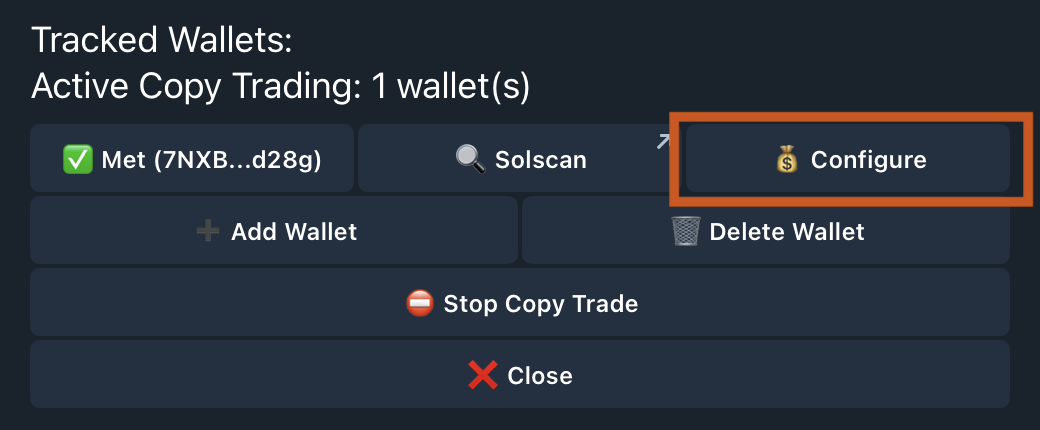
Tap **Configure** next to any tracked wallet to set how you copy their positions.
## Configure Copy Settings
Tap **Configure** next to any tracked wallet to set how you copy their positions.
 ### Sizing Options
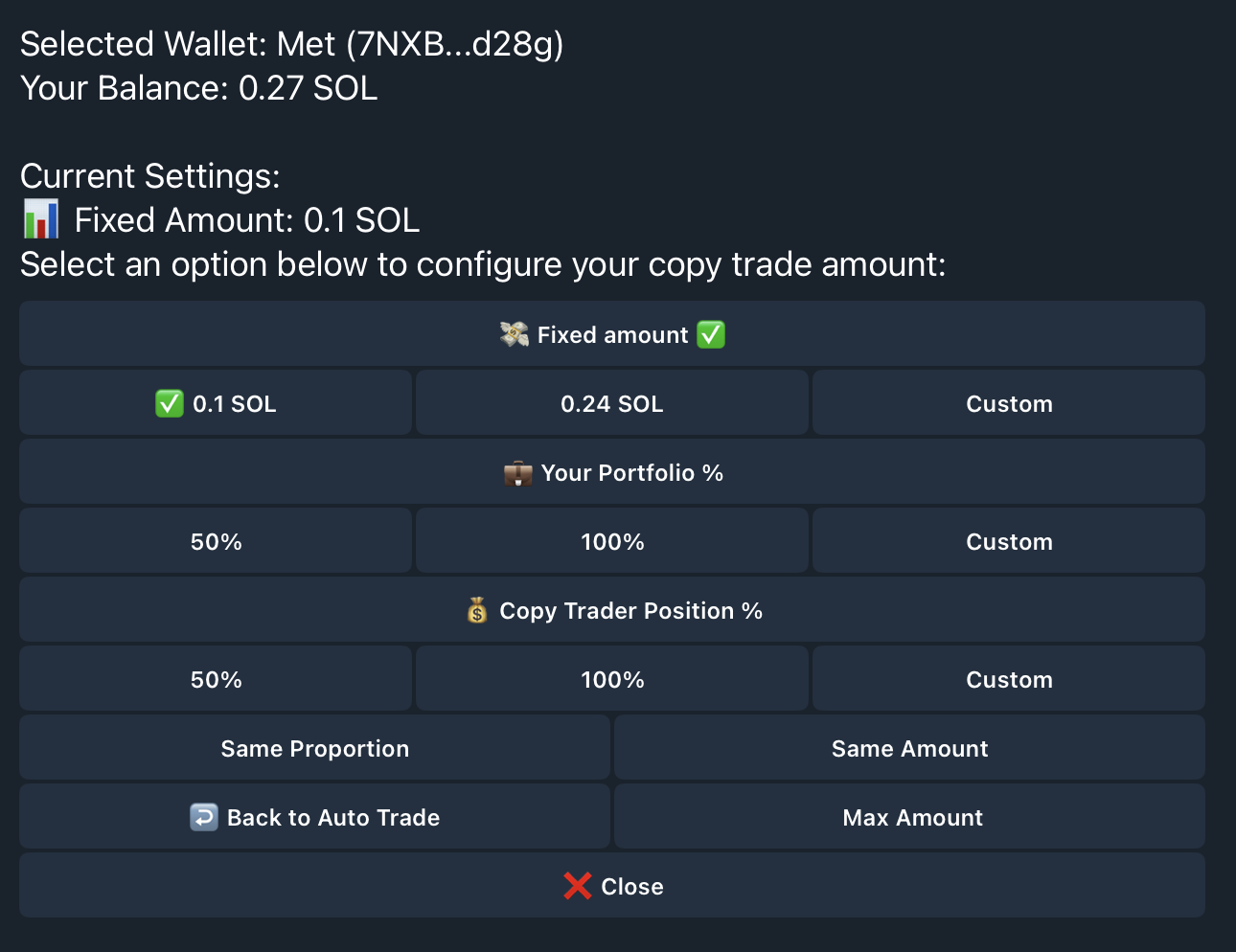
Choose how the bot calculates your position size:
### Sizing Options
Choose how the bot calculates your position size:
 | Option | How It Works |
| -------------------------- | ---------------------------------------------------------------- |
| **Fixed Amount** | Always use the same SOL amount (e.g., 1 SOL per trade) |
| **Portfolio %** | Use a percentage of your total wallet balance |
| **Copy Trader Position %** | Use the same percentage of your portfolio as they used of theirs |
| **Same Proportion** | Match their position size relative to their portfolio |
| **Same Amount** | Copy the exact SOL amount they used |
### Max Amount Safety Cap
Set a maximum amount per copy trade to protect against oversized positions. Even if the alpha wallet goes all-in, your copy stays within your limit.
## Manage Tracked Wallets
### Toggle Copy vs. Spy Mode
Each wallet shows its status:
* **Green checkmark**: Actively copying trades
* **Bell icon**: Spy mode (notifications only, no copying)
Tap the status to toggle between modes.
### Spy Mode
Want to watch before you commit? Spy mode sends you notifications when tracked wallets open positions—without copying them. Perfect for:
* Evaluating a wallet's performance before copying
* Learning strategies without risking capital
* Monitoring wallets during volatile markets
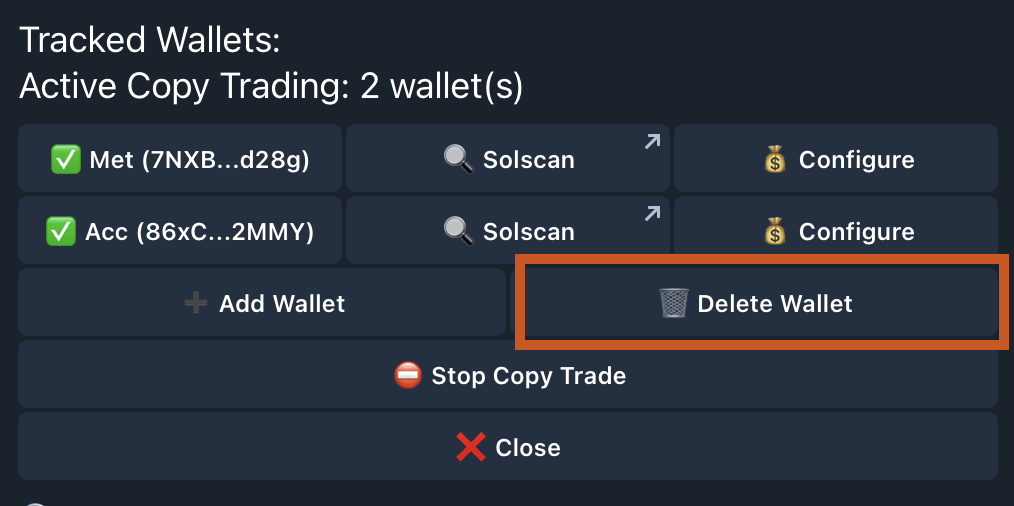
### Delete a Wallet
Tap the delete option to remove a wallet from your tracking list.
| Option | How It Works |
| -------------------------- | ---------------------------------------------------------------- |
| **Fixed Amount** | Always use the same SOL amount (e.g., 1 SOL per trade) |
| **Portfolio %** | Use a percentage of your total wallet balance |
| **Copy Trader Position %** | Use the same percentage of your portfolio as they used of theirs |
| **Same Proportion** | Match their position size relative to their portfolio |
| **Same Amount** | Copy the exact SOL amount they used |
### Max Amount Safety Cap
Set a maximum amount per copy trade to protect against oversized positions. Even if the alpha wallet goes all-in, your copy stays within your limit.
## Manage Tracked Wallets
### Toggle Copy vs. Spy Mode
Each wallet shows its status:
* **Green checkmark**: Actively copying trades
* **Bell icon**: Spy mode (notifications only, no copying)
Tap the status to toggle between modes.
### Spy Mode
Want to watch before you commit? Spy mode sends you notifications when tracked wallets open positions—without copying them. Perfect for:
* Evaluating a wallet's performance before copying
* Learning strategies without risking capital
* Monitoring wallets during volatile markets
### Delete a Wallet
Tap the delete option to remove a wallet from your tracking list.
 ## Stop Copy Trading
To pause all copy trading:
1. Go to **Auto Trade**
2. Tap **Stop Copy Trade**
3. Confirm
## Stop Copy Trading
To pause all copy trading:
1. Go to **Auto Trade**
2. Tap **Stop Copy Trade**
3. Confirm
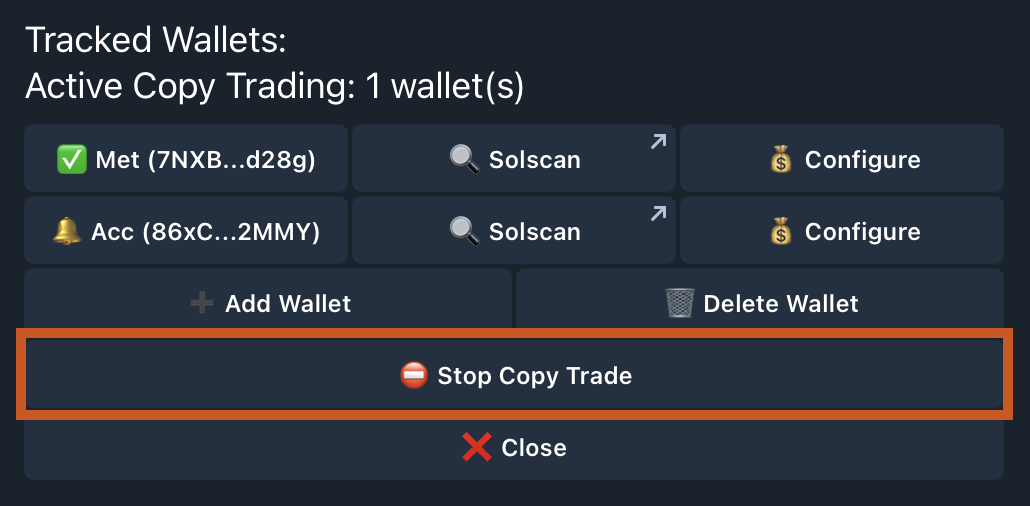 Your tracked wallets remain saved—you can resume anytime.
## Notification Details
When a tracked wallet opens a position, you receive:
Your tracked wallets remain saved—you can resume anytime.
## Notification Details
When a tracked wallet opens a position, you receive:
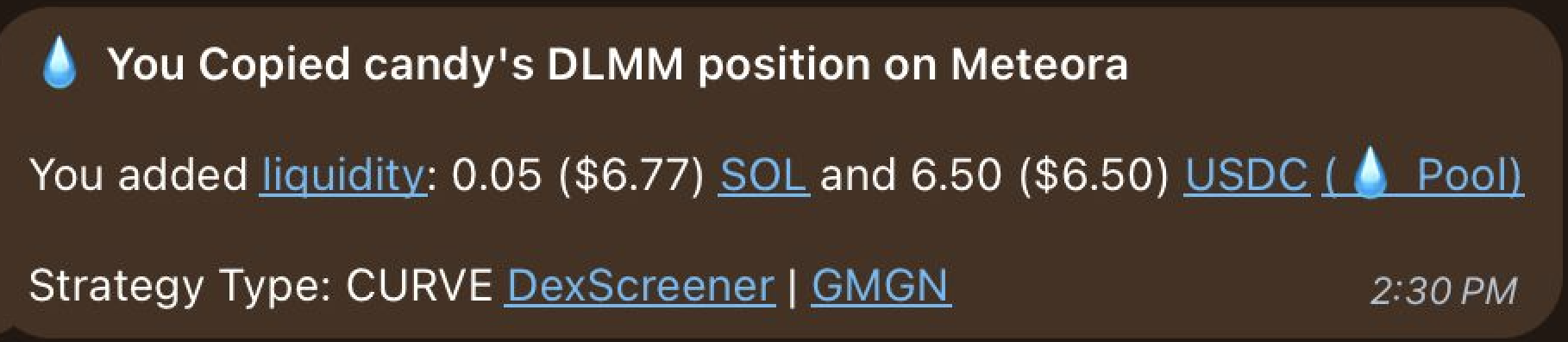 Each notification includes:
* **Wallet name** that triggered the copy
* **Token pair** being LP'd
* **Pool address** for verification
* **Your position details** (if copying is active)
* **Transaction link** to view on-chain
## Find Alpha Wallets
Not sure who to copy? Use the web terminal to analyze smart money activity and find consistently profitable LPs.
Discover which wallets are printing and copy their strategies
Each notification includes:
* **Wallet name** that triggered the copy
* **Token pair** being LP'd
* **Pool address** for verification
* **Your position details** (if copying is active)
* **Transaction link** to view on-chain
## Find Alpha Wallets
Not sure who to copy? Use the web terminal to analyze smart money activity and find consistently profitable LPs.
Discover which wallets are printing and copy their strategies