> ## Documentation Index
> Fetch the complete documentation index at: https://docs.metengine.xyz/llms.txt
> Use this file to discover all available pages before exploring further.
# Open Positions via Bot
> One-click LP positions — auto-selects the highest-yield pool
Spot a token on X? Paste the token address in Telegram and open an LP position in seconds. The bot automatically finds the highest-yielding pool.
## What You'll Unlock
* Instant LP from any token address
* Auto-selection of the best-performing pool
* Real-time position monitoring with PnL tracking
* One-tap fee claiming and position closing
## Open a Position
Use the `/open` command or tap **Open Position** from the main menu.
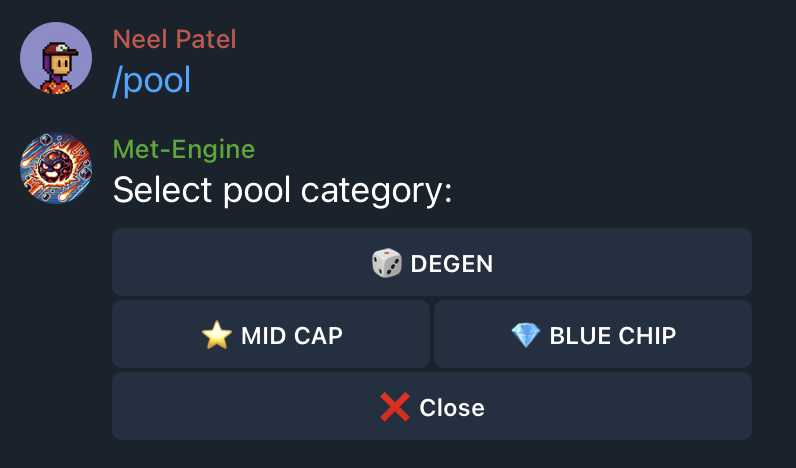 ### Enter Token Details
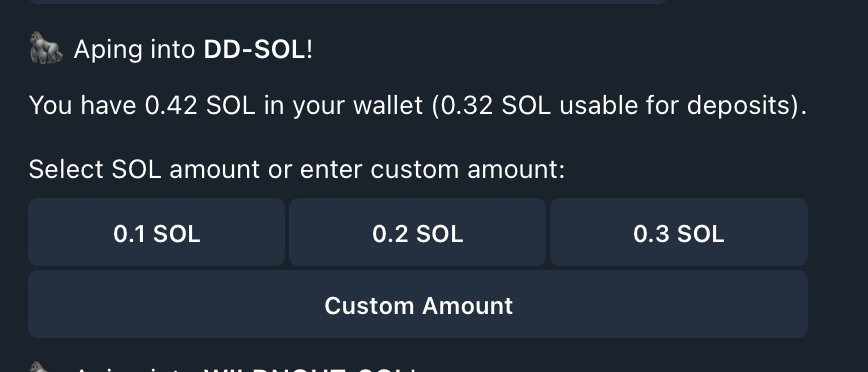
1. **Paste the contract address** of the token you want to LP
2. **Enter SOL amount** to deposit (minimum 0.2 SOL)
The bot scans all available pools and selects the one with the highest 24-hour yield.
### Enter Token Details
1. **Paste the contract address** of the token you want to LP
2. **Enter SOL amount** to deposit (minimum 0.2 SOL)
The bot scans all available pools and selects the one with the highest 24-hour yield.
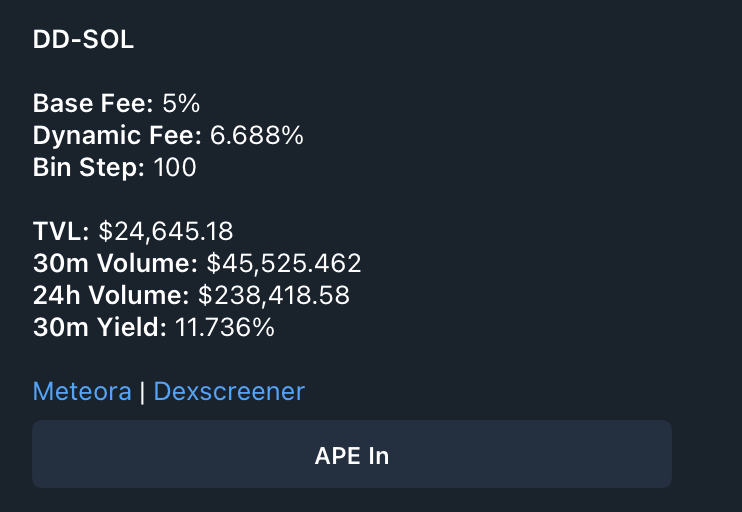 ### Confirm Your Position
Review the pool details:
* **24h Volume**: Trading activity driving your fees
* **24h Fees**: What LPs earned in the last day
* **Current Price**: Token price in SOL
Tap **Confirm** to open your position.
### Confirm Your Position
Review the pool details:
* **24h Volume**: Trading activity driving your fees
* **24h Fees**: What LPs earned in the last day
* **Current Price**: Token price in SOL
Tap **Confirm** to open your position.
 ## Monitor Your Positions
Use `/dlmm_positions` to view all active positions. Each position shows:
* **Deposit value**: Your initial investment
* **Fees earned**: Unclaimed trading fees
* **Impermanent loss**: Unrealized IL from price movement
* **Current bins**: Visual representation of your liquidity range
## Monitor Your Positions
Use `/dlmm_positions` to view all active positions. Each position shows:
* **Deposit value**: Your initial investment
* **Fees earned**: Unclaimed trading fees
* **Impermanent loss**: Unrealized IL from price movement
* **Current bins**: Visual representation of your liquidity range
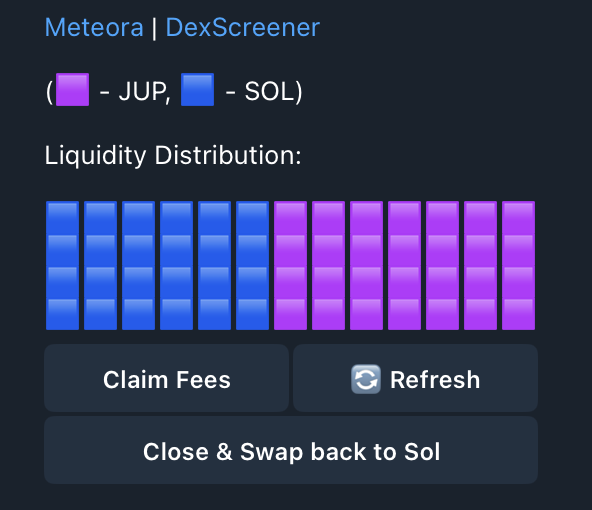 ### Understanding the Visualization
The bin display shows where your liquidity sits:
* **Filled bins**: Your active liquidity earning fees
* **Empty bins**: Outside your range, not earning
* **Current price marker**: Where trading is happening now
## Claim Fees
Earned fees accrue in real-time. To claim:
1. Open `/dlmm_positions`
2. Select your position
3. Tap **Claim Fees**
Claimed fees go directly to your Telegram wallet.
## Close a Position
Ready to exit? From your position details:
1. Tap **Close Position**
2. Confirm the withdrawal
3. Tokens return to your wallet
It'll auto swap token to SOL.
## Advance Features
The Telegram bot uses a balanced strategy by default. For advanced configuration — custom ranges, bid-ask strategies, or volatility plays — use our terminal.
Configure custom ranges and strategies on the terminal
### Understanding the Visualization
The bin display shows where your liquidity sits:
* **Filled bins**: Your active liquidity earning fees
* **Empty bins**: Outside your range, not earning
* **Current price marker**: Where trading is happening now
## Claim Fees
Earned fees accrue in real-time. To claim:
1. Open `/dlmm_positions`
2. Select your position
3. Tap **Claim Fees**
Claimed fees go directly to your Telegram wallet.
## Close a Position
Ready to exit? From your position details:
1. Tap **Close Position**
2. Confirm the withdrawal
3. Tokens return to your wallet
It'll auto swap token to SOL.
## Advance Features
The Telegram bot uses a balanced strategy by default. For advanced configuration — custom ranges, bid-ask strategies, or volatility plays — use our terminal.
Configure custom ranges and strategies on the terminal