

What You’ll Unlock
- Millisecond-precision copy trading
- Follow up to 5 alpha wallets simultaneously
- Flexible sizing: fixed amount, portfolio %, or exact copy
- Spy mode for notifications only
How Auto Trade Works
When a tracked wallet opens an LP position, the bot instantly:- Detects the transaction
- Identifies the pool and strategy
- Opens the same position in your wallet
- Notifies you of the copy
Set Up Auto Trade
From the main menu, tap Auto Trade to access copy trading settings.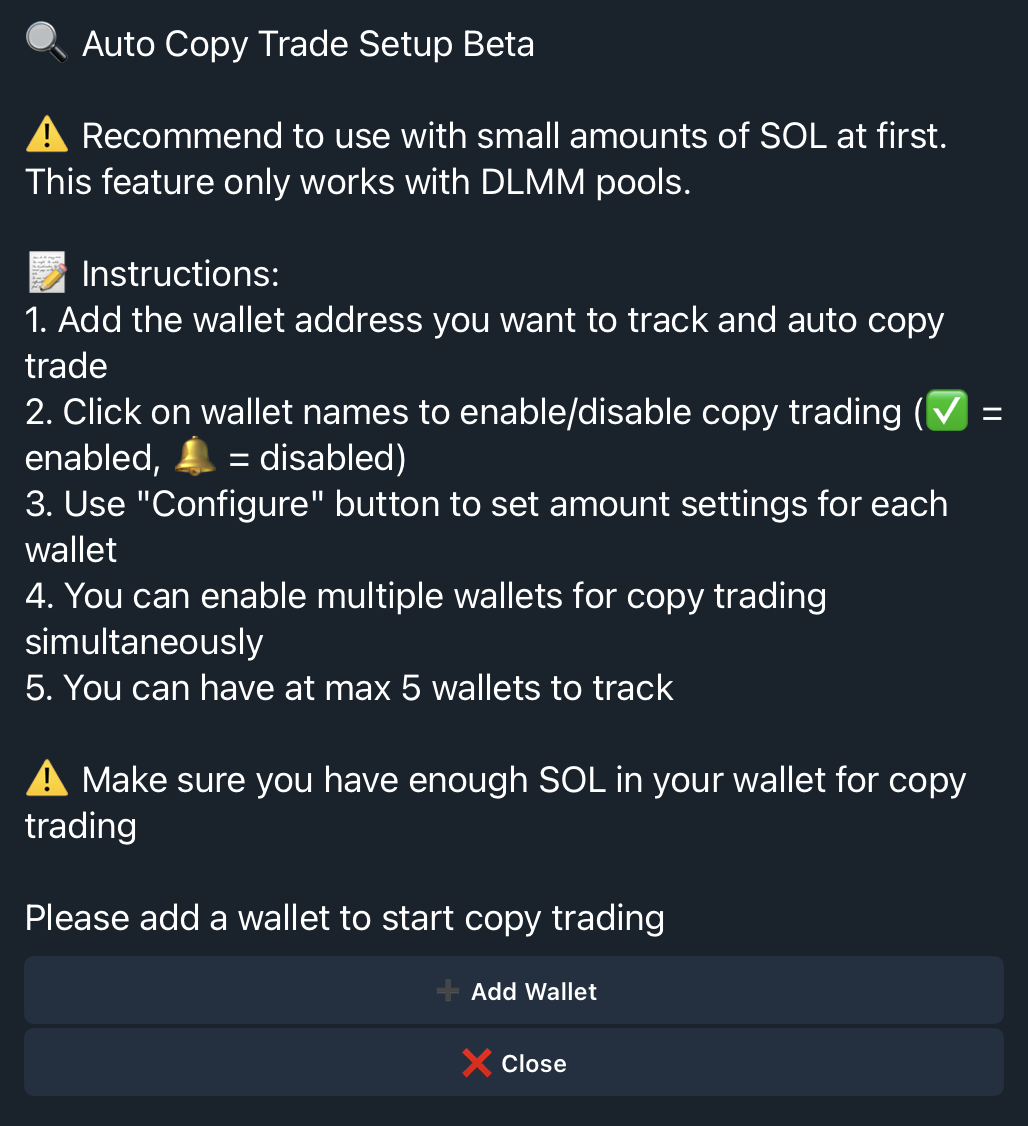
Add a Wallet to Track
- Tap Add Wallet
- Enter the wallet in format:
Name Address- Example:
AlphaWhale 7xKXtg2CW87d97TXJSDpbD5jBkheTqA83TZRuJosgAsU
- Example:
- Confirm the addition

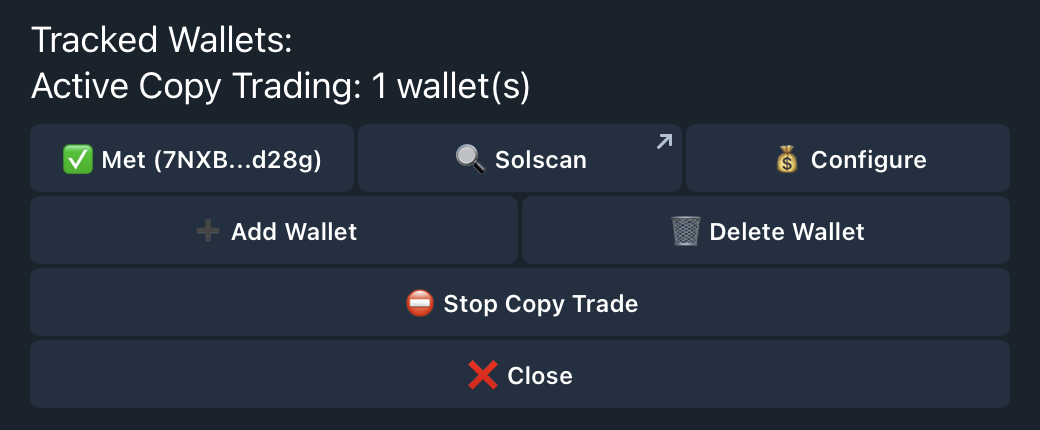
Configure Copy Settings
Tap Configure next to any tracked wallet to set how you copy their positions.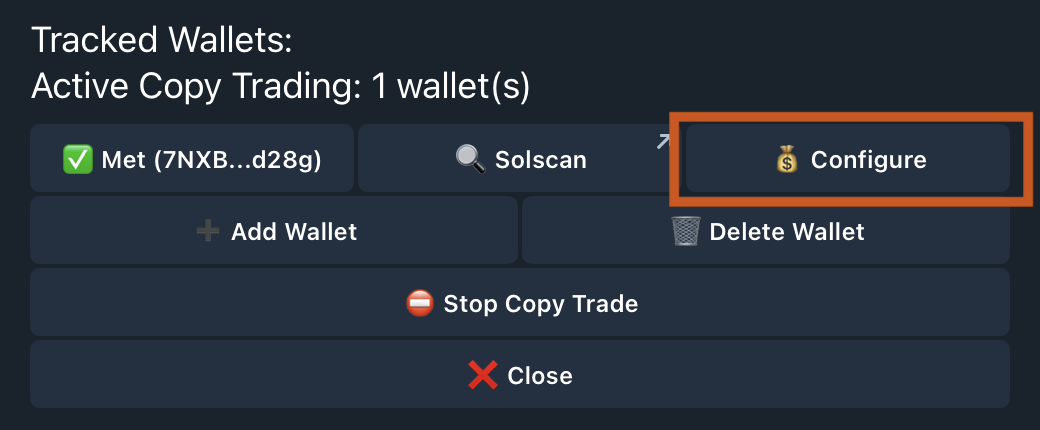
Sizing Options
Choose how the bot calculates your position size: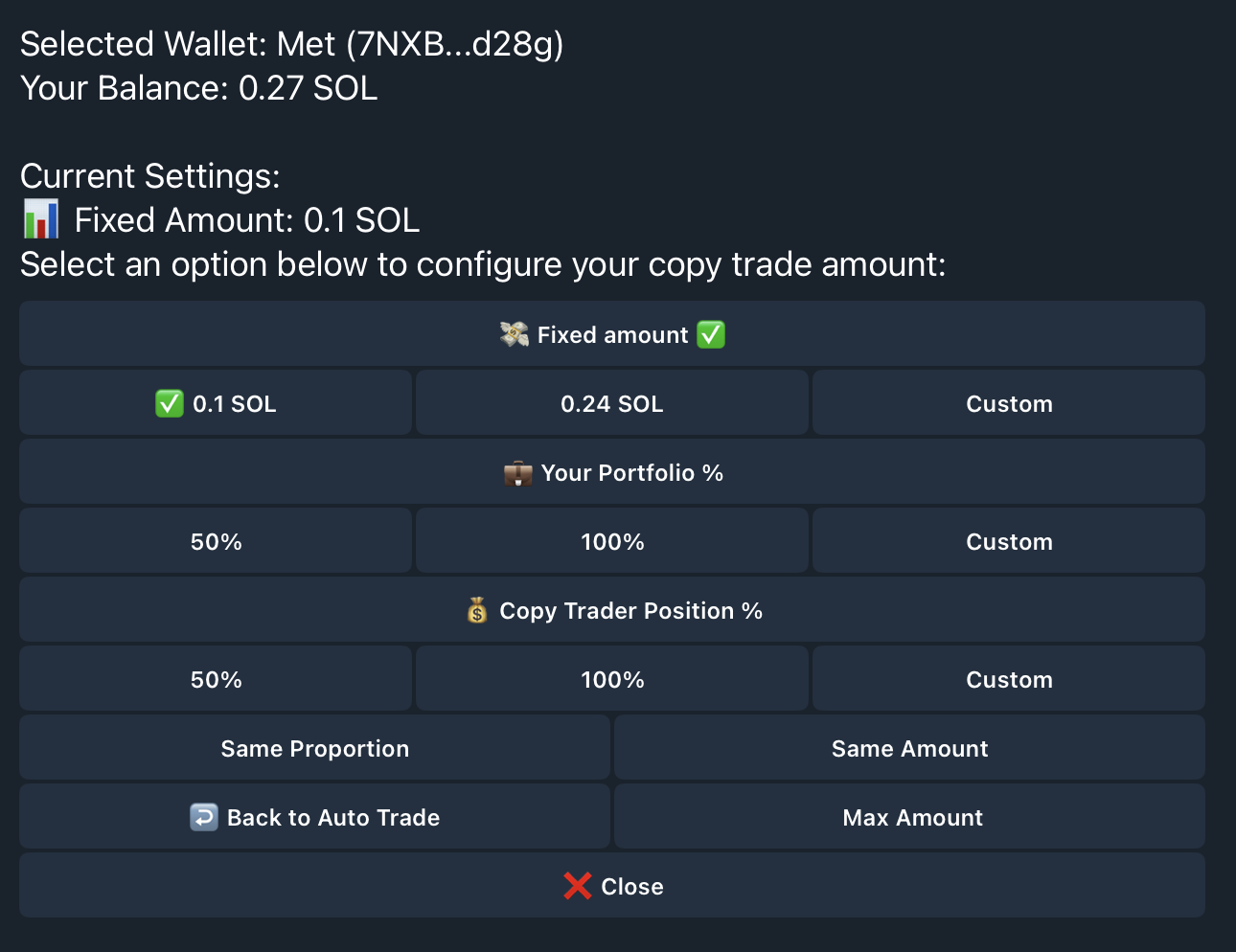
Max Amount Safety Cap
Set a maximum amount per copy trade to protect against oversized positions. Even if the alpha wallet goes all-in, your copy stays within your limit.Manage Tracked Wallets
Toggle Copy vs. Spy Mode
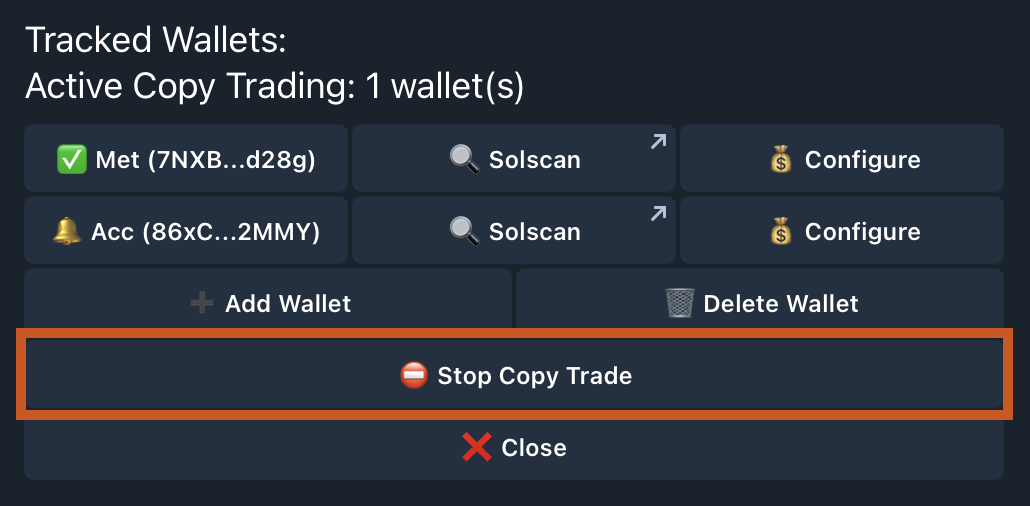
Each wallet shows its status:- Green checkmark: Actively copying trades
- Bell icon: Spy mode (notifications only, no copying)
Spy Mode
Want to watch before you commit? Spy mode sends you notifications when tracked wallets open positions—without copying them. Perfect for:- Evaluating a wallet’s performance before copying
- Learning strategies without risking capital
- Monitoring wallets during volatile markets
Delete a Wallet
Tap the delete option to remove a wallet from your tracking list.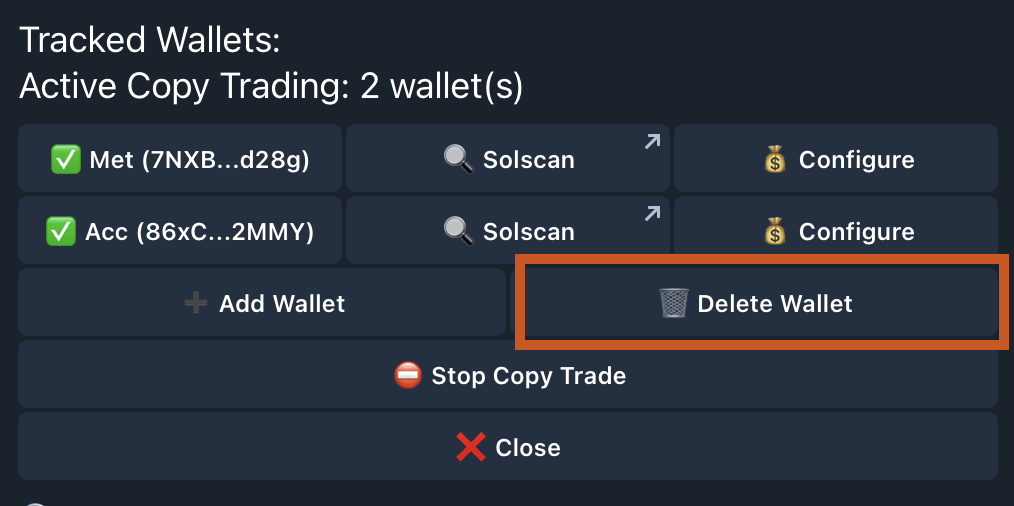
Stop Copy Trading
To pause all copy trading:- Go to Auto Trade
- Tap Stop Copy Trade
- Confirm
Notification Details
When a tracked wallet opens a position, you receive: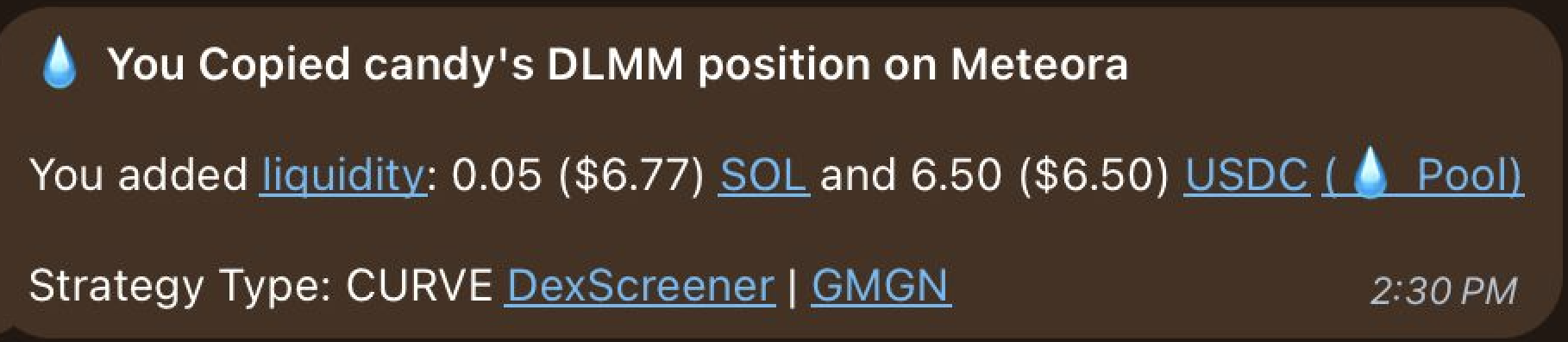
- Wallet name that triggered the copy
- Token pair being LP’d
- Pool address for verification
- Your position details (if copying is active)
- Transaction link to view on-chain
Find Alpha Wallets
Not sure who to copy? Use the web terminal to analyze smart money activity and find consistently profitable LPs.Analyze Smart Money
Discover which wallets are printing and copy their strategies